Most small business owners don’t think they need attendance management software. They have a small team, everyone knows each other, and tracking who shows up seems straightforward enough on a spreadsheet or group chat.
That assumption holds until payroll starts showing errors that nobody can trace. Or an employee dispute escalates, and the attendance records are incomplete. Or one manager is letting tardiness slide while another isn’t, and now there’s a grievance.
Attendance management problems at small businesses are not smaller versions of enterprise problems. They tend to hit harder and faster, because there’s no HR department to catch them early, no compliance team to flag the exposure, and often no one with the bandwidth to fix inconsistencies before they become costly.
This article explains what attendance management software actually does, which parts matter most for small businesses, which features you can skip, and what to look for when you’re ready to evaluate options. For a comprehensive technical deep dive into features, compliance requirements, and workforce management integration, see our complete guide, “Attendance Management Software: The Complete Guide for HR and Operations Leaders.”
Key Takeaways
- Small businesses are disproportionately affected by attendance errors. Without a dedicated HR function, problems compound faster and go undetected longer.
- The features that matter most for small businesses are digital clock-in, payroll integration, and basic policy enforcement. Enterprise analytics and multi-jurisdiction compliance tooling are a different conversation.
- Cloud-based platforms are the right fit for most small businesses: affordable, no hardware required, and deployable in days rather than months.
- The biggest ROI comes from eliminating payroll errors and reducing the time owners and managers spend manually chasing attendance records.
- Attendance management software works best as part of an integrated system, connected to your payroll and scheduling tools rather than running as a standalone tracker.
Why Small Businesses Are More Vulnerable to Attendance Problems
Attendance errors do not scale evenly. A large organization with an HR team and a payroll department has systems and people in place to catch discrepancies before they become serious. A small business typically doesn’t.
A few specific dynamics make attendance management harder at a small scale:
- No HR buffer. In most small businesses, the owner or an office manager is handling payroll alongside ten other responsibilities. There’s no one whose job it is to catch timesheet anomalies, enforce attendance policies consistently, or notice a pattern of tardiness before it starts affecting morale.
- Informality breeds inconsistency. When attendance is managed through personal relationships rather than documented rules, enforcement becomes uneven. One employee gets a pass; another doesn’t. That inconsistency creates legal exposure and employee relations problems that hit small businesses hard.
- Payroll errors are proportionally more costly. A $200 overpayment is a rounding error at a company with 500 employees. At a company with 12 employees, it is a meaningful expense. If it happens repeatedly across every pay cycle, those amounts add up.
- Wage and hour compliance applies regardless of size. FLSA record-keeping requirements, state overtime rules, and break regulations apply to small businesses the same way they apply to large ones. The documentation burden doesn’t shrink with headcount.
These dynamics mean that the case for attendance management software at small businesses is often stronger than the case at larger organizations, not weaker.
What Small Businesses Actually Need From Attendance Software
Enterprise attendance platforms are built for complexity: hundreds of locations, union rule configurations, multi-state compliance engines, and sophisticated workforce analytics. Most of it doesn’t apply to a business with 10 to 75 employees.
The features that actually matter at this scale are more focused.
Digital Clock-In That Replaces the Spreadsheet
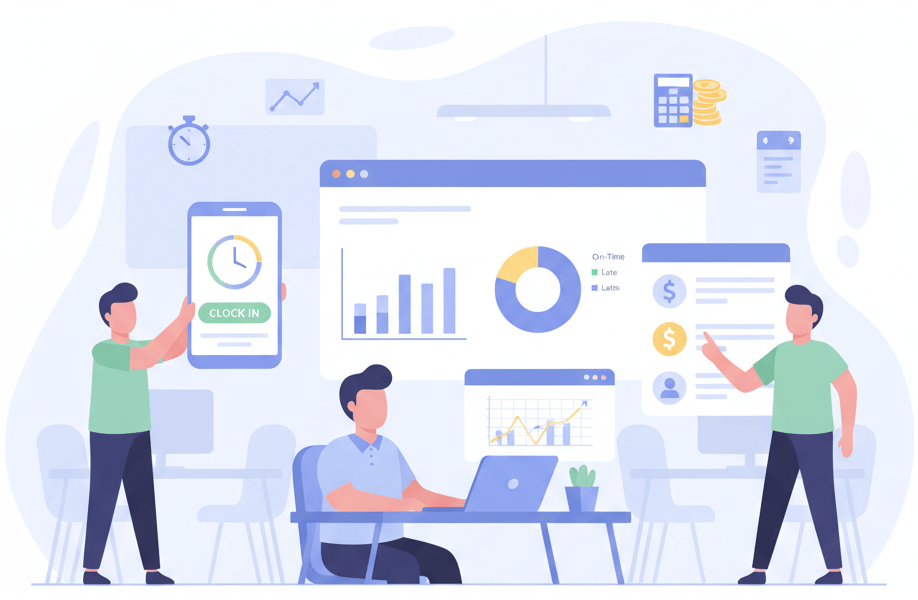
Replacing the manual timesheet with digital clock-in and clock-out is where most small businesses see the fastest return. Every clock-in captures an exact timestamp. No more end-of-week guessing, no more rounding in the employee’s favor, no more missing entries reconstructed from memory at payroll time. Cloud-based platforms support clock-in via mobile app, web browser, or a shared tablet kiosk. No dedicated hardware needed.
Payroll Integration
Direct integration with your payroll software is the other piece that makes a real difference. When attendance records flow automatically into payroll instead of being re-entered by hand, you cut out the transcription errors and calculation mistakes that cause most small business payroll problems. If you’re running payroll on QuickBooks, Gusto, ADP, or something similar, make sure any attendance system you evaluate connects directly with it.
Basic Policy Enforcement
Most small businesses run on informal attendance expectations that were never written down and aren’t applied consistently. A good attendance platform lets you set simple rules covering what counts as late, how many absences warrant a conversation, and when overtime needs sign-off, then enforces them the same way for everyone. That’s not about being rigid. It’s about being consistent. When the rules apply evenly, you avoid grievances and protect yourself from favoritism claims.
Absence Visibility
You don’t need a formal HR function to benefit from basic absence visibility. A simple view of who’s out, who’s been absent more than usual, and whether things are getting worse over time is genuinely useful. You don’t need sophisticated analytics for that. A dashboard that shows you the pattern without making you dig through rows of data is almost all small businesses need.
Compliance Documentation
When an employee dispute escalates or a wage and hour audit arrives, you need attendance records that are complete, timestamped, and verifiable. Manual records often can’t hold up to that. Attendance management software builds the audit trail automatically as a byproduct of normal daily use. Nobody has to remember to maintain it.
For small businesses, it comes down to three things: less time spent chasing attendance records, fewer payroll errors, and documentation that protects you if something goes wrong.
Features You Probably Don’t Need Yet
Half the work of choosing the right platform is figuring out what not to pay for. A lot of attendance systems are priced around capabilities that make sense at enterprise scale but add cost and complexity without meaningful benefit for a 20 or 30-person business.
- Multi-jurisdiction compliance engines are designed for organizations operating across multiple states with different overtime laws, predictive scheduling requirements, and break rules. If you operate in one state, this is overhead you do not need.
- Advanced workforce analytics like absenteeism benchmarking across departments, correlation analysis with overtime costs, and predictive coverage modeling are valuable tools when you have the data volume and HR bandwidth to act on them. With 20 employees, a simple dashboard is enough.
- Biometric hardware adds identity-verification rigor that matters in high-volume hourly environments where buddy punching is a real risk. For most small businesses, a mobile app with geofencing accomplishes the same goal at a fraction of the cost and complexity.
- On-premise deployment requires IT infrastructure and ongoing maintenance that simply doesn’t make sense for a small business. Cloud-based is the right choice at this scale.
If a vendor leads with any of these in a pitch to a 30-person business, they’re selling the wrong product to the wrong buyer.
The Payroll Connection: Where Most Small Business Losses Occur
When small businesses do the math on attendance software, payroll is almost always where the numbers make sense. Errors are common, and they’re rarely the payroll software’s fault. They come from the time and attendance data feeding into it.
| Error Source | What Happens Without Automation | What Automation Does |
|---|---|---|
| Estimated clock-ins | Employees round up; discrepancies accumulate every pay cycle | Exact timestamps captured at every clock-in |
| Missing clock-outs | Manager guesses or employee fills in later; accuracy suffers | System flags missing punches before payroll runs |
| Unapproved overtime | Submitted with regular hours; caught (or not) during review | Pre-payroll validation holds exceptions for approval |
| Manual re-entry to payroll | Early arrivals or late departures are compensated without oversight | Transcription errors are introduced every pay period |
| Untracked schedule deviations | Early arrivals or late departures compensated without oversight | Early arrivals or late departures are compensated without oversight |
For a small business running biweekly payroll with 20 hourly employees, fixing even one or two of these per cycle adds up to real money over the course of a year. Well beyond the cost of the software.
Signs Your Small Business Has Outgrown Manual Attendance Tracking
Manual attendance tracking tends to hold together until it doesn’t. Here are the signs you’ve hit that point:
- Payroll corrections are a regular occurrence, and they often trace back to timesheet discrepancies rather than calculation errors.
- You’re spending more than an hour each pay period reconciling attendance records, chasing missing punches, or resolving timesheet disputes.
- Different managers are applying attendance policies differently, or you have employees who seem to operate under different informal rules than others.
- You’ve added remote workers or a second location, and your current tracking method has no reliable way to capture their attendance.
- You’ve received a wage and hour inquiry, or you’re worried one is coming, and your current records would not hold up to scrutiny.
- Absenteeism is climbing, and you can’t tell where or why, because your records capture individual incidents but never surface the patterns underneath them.
If two or more of those fit, the time and risk of staying manual almost certainly cost more than fixing it.
What to Look for When Evaluating Attendance Software for Your Small Business
Plenty of attendance platforms are built for companies five times your size. When you’re evaluating options, here’s what actually matters:
- Transparent per-employee pricing. Most cloud platforms charge per employee per month. Make sure you understand what’s included at each tier and whether the features you actually need are in the base plan or require upgrading.
- Payroll integration with your existing system. This one’s non-negotiable. Confirm native integration with your payroll platform before you commit. Manual export and re-import isn’t a real integration.
- Mobile clock-in with geofencing. If you have field employees, remote workers, or more than one location, mobile clock-in with location verification is a must. Make sure it’s in the base plan, not an add-on.
- Simple setup with minimal IT requirements. A small business should be up and running in days, not weeks. If a vendor is quoting an extended implementation timeline for a company your size, walk away.
- Usable interface for non-HR users. Your managers and employees will be using this daily. If navigating basic tasks requires training, adoption will fall apart. Simpler beats feature-rich every time.
- Responsive support. You probably don’t have an IT department to troubleshoot problems when they come up. Make sure the vendor offers real support, not just a help center and a ticket queue.
Conclusion
Attendance management software is not just an enterprise tool. For small businesses managing hourly workers, shift schedules, or remote employees, it solves real problems that manual processes handle poorly: payroll errors, inconsistent enforcement, missing documentation, and absenteeism that quietly grows until it becomes something harder to fix.
It doesn’t have to be complex or expensive. For most small businesses, a cloud-based system with digital clock-in, payroll integration, and basic policy enforcement covers the vast majority of what you need, at a cost that pays for itself quickly in time saved and errors avoided.
For a comprehensive look at how attendance management software works, including feature details, compliance requirements, and workforce management integration, see: Attendance Management Software: The Complete Guide for HR and Operations Leaders.
Frequently Asked Questions
If you manage hourly workers, run shift schedules, or have even one remote employee, the answer is probably yes. The payroll errors and compliance exposure from manual tracking aren’t smaller for small businesses. They’re often harder to catch and more costly relative to your size.
A basic time clock app records when people come and go. Attendance management software does that too, but it also enforces attendance policies, tracks absence and tardiness patterns, validates records before payroll runs, and generates compliance documentation. For most small businesses, the payroll integration and policy enforcement are what make it worth paying for.
Most cloud-based platforms run between $2 and $8 per employee per month, depending on what’s included. For a 20-person business, that’s typically $40 to $160 a month. In most cases, that’s less than what one payroll error or an hour of manual timesheet cleanup costs per pay period.
Cloud-based platforms built for small businesses can usually be up and running within a few days. There’s no IT project involved. You set up your clock-in methods, enter your attendance rules, connect your payroll system, and you’re done.
Yes. Cloud-based platforms handle remote attendance through mobile clock-in apps and geofencing that confirms location at check-in. You get the same visibility and paper trail for remote workers that you have for on-site staff. For a deeper look, see: Attendance Management Software: The Complete Guide for HR and Operations Leaders.