Are you concerned that your invoice processing does not adequately support the financial stability of your business? To maintain a seamless workflow for your business, streamlining invoice processing is essential.
Mismanagement of invoice processing means late payment to the vendors, strained relationships with them, and most importantly, you may have to pay extra due to calculation errors.
As per Statistics, companies processing 1,000 invoices monthly can save approximately $120,000 per year by switching to automated invoice processing from manual processing. It improves in error rate also. While manual invoicing systems result in about a 2% error rate per invoice, automated systems lower this to 0.8%, which is a 60% reduction.
Study the blog to have deep knowledge about how to streamline invoice processing with Accounts Payable Automation Software.
What Do You Mean by Streamlined Invoice Processing?
The actual meaning of streamlined invoice processing means leveraging the software for processing the invoices. Automation diminishes both time and labor required to streamline each invoice. The automated technology used techniques like OCR (Optical Character Recognition), AI (Artificial Intelligence), and ML (Machine Learning) to make the process faster. The system can process multiple invoices efficiently while maintaining accuracy.
What is the Procedure to Automate the Invoice Processing?
Automation can make the invoice processing faster.
Here’s how the system works:
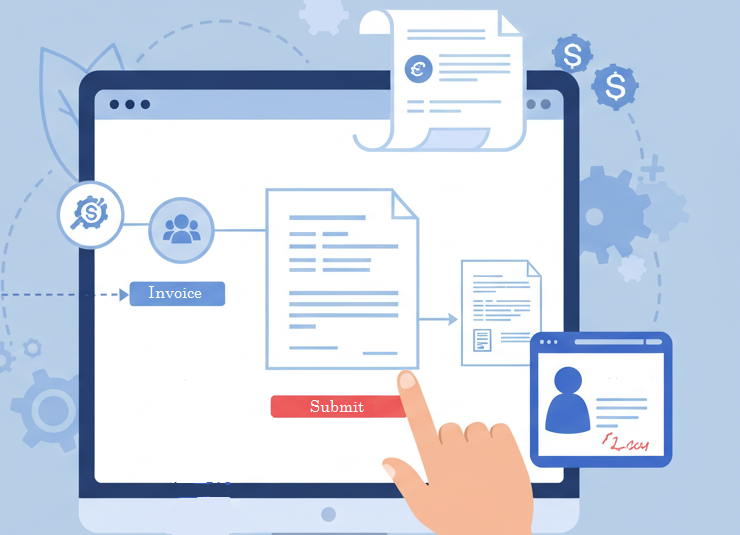
Capturing Invoices
The automated process can capture the core invoice data from anywhere, be it paper, PDF, or Electronic Data Interchange (EDI). OCR technology can extract the required information in very little time with zero errors.
Validating Invoices
The advanced level of algorithms can validate the invoices against the Purchase Orders. If it identifies any discrepancies in both datasets, then it immediately informs the respective approver and authority as well.
Easy Approval & Payment Scheduling
The automated system can approve or reject any invoices if there is any mismatch between PO and invoices. It can schedule automatic payment as well.
Easy Integration
The system can easily integrate with ERP and other financial systems to make the entire payment process smoother.
This is how the automated invoice processing works.
How to Improve Your Business’s Invoicing Process?
The process starts with creation and sending invoices, collecting payments, following up on overdue invoices, and finally paying the amount.
Here is how you can improve your business’s invoicing process.
Check Your Existing Invoice Processing
You should take time to review your invoicing process and fix the issues that are creating a concern for you. You need to look for workflow bottlenecks, check different performance indicators like invoice-error percentage, and ask for feedback from employees who manage the Accounts Receivables.
Invest in Automated Invoicing
Manual invoicing is time-consuming, and data-entry errors can occur easily. However, if you use software that automatically turns sales orders into invoices, sends repetitive invoices, payment reminders, and routes invoices for approval, you can free your staff to focus on more important work. It adds more business value and enhances employee engagement. The automated process, including three-way matching where invoices are checked against purchase orders and delivery details, can also help.
Create a Clear Payment System
It is important to create clear payment terms at the early stage of a business relationship to avoid any type of misunderstanding or disputes. Delays in invoice payments can result in revenue loss, cash flow problems, and even lead to court cases.
Payment terms may include:
- Fee and Invoicing Method
- Accepted Currency
- Payment Terms
- Penalties for Late or Missed Payments
- Discounts for Early Payments
Lastly, invoices should include all necessary details such as invoice and purchase order numbers, buyer and seller information, purchase date, and contact information.
Offer Multiple Payment Options
If a business offers its customers multiple payment options, it can speed up the invoice process. For example, we can say online payment portals for electronic transfers and credit cards, leveraging various Apps, while not forgetting about traditional methods like checks and phone payments.
Integrate Accounting Software for Accurate Invoicing
Integration with accounting software is very much required. It helps maintain accurate invoices, which helps to build trust with clients. Small mistakes, like errors in item quantity or price, can delay payments and annoy customers. Accurate invoice recording is also important for the company’s financial records. It ensures everything is balanced correctly for a smooth financial process.
These are the 5 steps you can follow to improve your business’ invoicing process.
How AI is Transforming Invoice Processing?
Recently, AI has been supporting invoice processing to make it easier and faster. From data extraction to fraud identification, to workflow approval, the technology is making invoice streamlining easy in every aspect.
Here is how AI supports Invoice Processing.
- Smart Invoice Capturing
AI helps with smart invoice capturing. It can extract the data quickly from any kind of document and use it for invoice processing in an error-free way.
- Fraud Detection
SutiAP proactively monitors the invoice process to detect any inappropriate data and duplicate invoices. AI can detect fraud and manage the risk prior to invoice processing.
- Guided Approvals
The Accounts Payable software, with the assistance of Artificial Intelligence, can detect manipulated invoice data and highlight it before the approver reviews it prior to final approval. It makes the overall invoice approval process quicker while maintaining accuracy and security.
- Assistance to Vendors
The AI-powered chatbot can remain active 24/7 to assist the vendors regarding any information like payment status, incorrect invoice information, or any other matters. The vendors can directly receive the information from the chatbot without needing to contact any AP team member.
- Dynamic Workflow
The AI-powered invoice system can work in real time to address issues like types of invoices, priority, urgency, vendor history, and other matters. The system can do its work seamlessly by cooperating with the AP team irrespective of the number of invoices.
The AI-powered automated processing follows these procedures to streamline the invoice processing.
Final Thoughts
Automating invoice processing is crucial for today’s businesses. Manual work is slow, prone to mistakes, and it is expensive. By automating tasks like entering data, checking information, and scheduling payments, businesses can save time, reduce errors, and build better relationships with vendors.
Automation boosts efficiency and improves security, transparency, and financial control. For CFOs and finance managers, automated invoice processing offers peace of mind. It takes care of routine tasks so they can focus on bigger goals.
From managing invoicing chaos to seamless payments, SutiAP can help you to execute your task with ease. The AI-powered accounts payable software helps you with streamlining your invoicing process. The automated accounts payable (AP) software can streamline your invoice process with complete control, visibility, and accuracy. It can simplify your invoice and purchase order processes with automated data capture, coding, submission, approvals, and payments.