In today’s fast-moving digital landscape, businesses are under immense pressure to streamline workflows, ensure compliance, and deliver seamless user experiences—all while maintaining document security and reducing operational costs. A core component of achieving this efficiency lies in digitizing the entire document lifecycle, from creation and collaboration to approval and archiving.
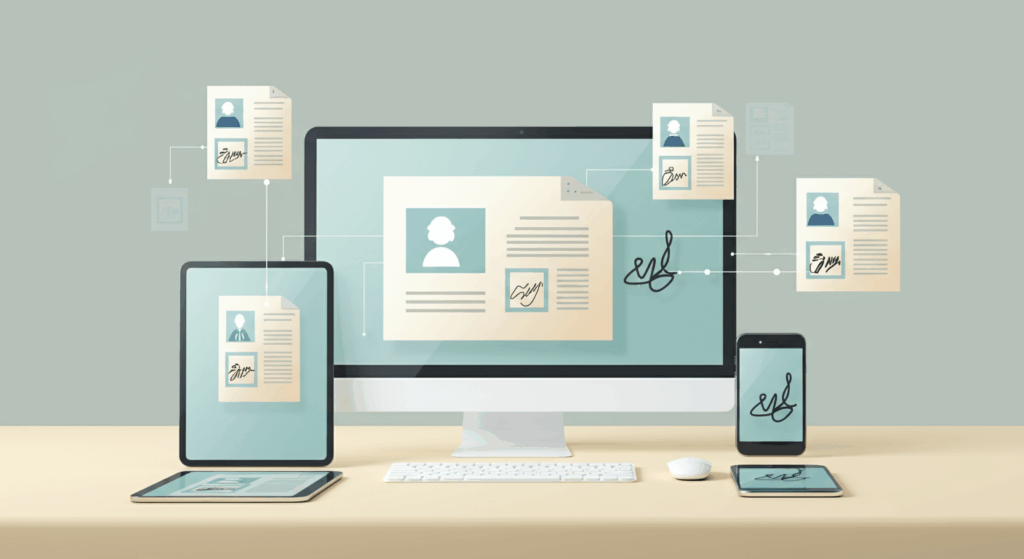
Two technologies that play a pivotal role in this transformation are Document Management Systems (DMS) and Electronic Signatures (eSignatures). When integrated, they unlock the potential for a fully digital document lifecycle, eliminating the need for manual paperwork, delays, and fragmented systems.

In this article, we’ll explore how DMS and eSignatures work together, why their integration is essential, and the tangible benefits enterprises can realize by embracing a unified platform.
Understanding the Digital Document Lifecycle
Before diving into the integration, it’s important to understand what the digital document lifecycle entails. At its core, this lifecycle includes the following stages:
- Creation – Documents are drafted using templates or collaboration tools.
- Collaboration – Teams review and make changes in real time or through versioned feedback.
- Approval – Authorized individuals sign off on documents, often requiring formal signatures.
- Execution – The document becomes legally binding (e.g., signed contracts, NDAs).
- Storage – Documents are stored securely for easy retrieval and audit readiness.
- Archival or Deletion – Based on retention policies, documents are either archived or purged.
A fully digital lifecycle ensures that each of these steps can be completed electronically—without printing, scanning, emailing, or physically signing documents. This is where DMS and eSignature solutions come into play.
What Is a Document Management System (DMS)?
A Document Management System is a centralized digital platform for storing, organizing, tracking, and managing documents. It supports functionalities such as:
- Version control
- Access permissions
- Audit trails
- Metadata tagging
- Advanced search
- Compliance management
By replacing file cabinets and decentralized drives, a DMS helps organizations maintain better control and visibility over their documents.
What Are Electronic Signatures?
Electronic Signatures (eSignatures) refer to the digital version of handwritten signatures used to indicate approval. They are legally recognized in most countries (e.g., under the ESIGN Act in the U.S., and eIDAS in the EU) and come in several forms:
•Basic eSignatures – A simple typed or drawn name.
•Advanced eSignatures – Include signer authentication and document integrity features.
•Qualified eSignatures – Meet the highest standards for identity verification and legal validity.
Modern eSignature platforms like DocuSign, Adobe Sign, and SutiSign provide secure, compliant, and trackable digital signing capabilities.
Why Integration Between DMS and eSignature Tools Matters
Individually, both DMS and eSignatures deliver significant value. But when integrated, they create a seamless, end-to-end digital experience that removes manual handoffs and operational silos.
Here’s why integration is so critical:
1.Faster Turnaround Times
Without integration, users often need to manually export documents from a DMS, upload them into an eSignature platform, send them for signing, and then re-upload the signed version. This manual loop is time-consuming and error-prone.
An integrated system allows users to initiate and complete signature workflows directly from the DMS interface, reducing turnaround times from days to minutes.
2.Enhanced Compliance and Security
When documents are signed outside of the DMS, there’s a risk of data leakage, lost files, or non-compliance with recordkeeping requirements. Integration ensures that all signed documents are automatically saved, timestamped, and versioned within the DMS—creating a secure, tamper-evident audit trail.
3.Improved User Experience
Employees no longer have to switch between platforms, remember multiple logins, or follow complicated steps. A unified interface boosts adoption and productivity, particularly for HR, legal, procurement, and sales teams who deal with high volumes of documents.
4.Elimination of Paper-Based Bottlenecks
The pandemic accelerated the shift away from paper, but many organizations still rely on manual signatures for contracts, onboarding documents, and approvals. By integrating eSignatures with DMS, every document can be processed digitally, supporting remote teams and hybrid work models.
Key Benefits of an Integrated DMS and eSignature Solution
Let’s look at the concrete advantages of bringing DMS and eSignatures together:
1.Streamlined Workflows
Documents move smoothly from creation to approval to archival without leaving the platform. For example, an offer letter created by HR in the DMS can be routed for digital signature and stored automatically—no printing, scanning, or emailing required.
2.Increased Efficiency and Productivity
Integration eliminates redundant data entry and manual uploads. Employees can focus on high-value tasks rather than chasing signatures or managing document versions.
3.Audit-Ready Records
Signed documents are stored in their original form with detailed logs of who signed, when, and from where. This is crucial for audits, dispute resolution, and regulatory compliance.
4.Real-Time Status Tracking
Users can track the status of signature requests directly within the DMS. No more guessing whether a contract has been signed or following up via phone or email.
5.Customizable Approval Workflows
Advanced systems allow organizations to define multi-step approval chains, automatically routing documents to the right individuals based on rules such as department, deal value, or location.
6.Global Scalability
With features like multi-language support, time zone detection, and global compliance (e.g., eIDAS, ESIGN, UETA), integrated solutions enable businesses to expand across borders without compliance concerns.
7.Better Collaboration
Teams can co-author documents, get approvals, and finalize agreements—all without leaving the system. Notifications and automated reminders keep everyone on track.
8.Cost Savings
By eliminating printing, mailing, scanning, and physical storage, companies reduce direct costs. Faster contract closures and improved workflow efficiency also translate to significant operational savings.
Real-time Scenarios Where DMS Proves to be a Solution
Human Resources
•Offer letters, NDAs, onboarding forms
•Employment contracts
•Policy acknowledgment forms
An integrated system ensures documents are sent, signed, and archived automatically speeding up hiring and reducing paperwork.
Legal and Compliance
•Contract approval and execution
•Regulatory filings
•Partner agreements
With secure access controls and tamper-proof signatures, legal teams can maintain airtight compliance.
Sales & Procurement
•Sales contracts and purchase orders
•Vendor agreements
•SOWs and SLAs
Faster signatures mean quicker deal closures and supplier onboarding
Healthcare and Insurance
•Consent forms
•Claim documentation
•Patient onboarding
Digitizing these documents helps maintain HIPAA/GDPR compliance and enhances the patient/customer experience.
Best Practices for Implementing Integration
Successfully integrating your DMS and eSignature platform involves more than just a technical connection. Here are some best practices:
Ensure your DMS supports native or API-based integration with leading eSignature providers.
1.Choose Compatible Solutions
Ensure your DMS supports native or API-based integration with leading eSignature providers.
2.Map Key Workflows
Identify which document types will go through the signing process and automate their routing.
3.Ensure Role-Based Permissions
Not all users need access to signature workflows. Define clear roles and access levels.
4.Maintain Security Standards
Implement encryption, two-factor authentication, and audit logs for maximum document integrity.
5.Train Users and Monitor Adoption
Provide training and collect feedback to ensure teams are comfortable using the integrated solution.
Conclusion
In the age of digital business, relying on paper-based or disconnected systems is a competitive disadvantage. The integration of Document Management Systems and eSignature platforms empowers organizations to digitize the full document lifecycle—from creation and collaboration to execution and archival.