A practical guide for mid-market and growing businesses evaluating analytics platforms
Most SMBs pick the wrong analytics tool for the same reason. They evaluate it on what it looks like, not on what it actually connects to, what it costs in year two, or how long it takes a non-technical team to see their first useful report. A visually impressive dashboard that cannot pull data from your existing databases or business systems is, in practical terms, useless.
This checklist is for operations managers, finance leads, and business owners who are evaluating analytics platforms and do not want to repeat a painful implementation six months from now. Each section covers one decision factor, explains why it matters for a real business, and tells you exactly what questions to ask a vendor before signing anything.
Where relevant, each section includes specific guidance on how SutiDAnalytics addresses that need. SutiDAnalytics is a standalone, database-agnostic platform that connects to any relational database, spreadsheet, or API, and delivers AI-powered analytics, dashboards, and automated reporting without requiring SQL knowledge or a dedicated data team.
Section 1: Your Data Sources Determine Everything Before You Look at a Single Chart
The most common mistake in selecting analytics tools is starting with the interface. Buyers sit through a demo, see a polished dashboard with colorful charts, and assume the hard part is done. It is not. The hard part is getting your actual business data into the tool cleanly and reliably.
Analytics platforms are only as useful as the data they can access. If a tool requires manual CSV uploads from your accounting system every Monday morning, your reporting will always be a week behind, and your finance team will spend more time exporting files than analyzing numbers. That cannot be considered true analytics; rather, it is simply a more expensive version of spreadsheets.
Before evaluating any platform, start by identifying all the systems your business already uses, including ERP, CRM, expense management, procurement, HR, payroll, and project management tools. Then ask vendors to demonstrate exactly how data moves between those systems and their platform. Avoid relying on diagrams or static presentations. Instead, request a live demonstration showing how the connectors actually work in real-world scenarios.
SutiDAnalytics connects to any relational database, including MySQL, PostgreSQL, SQL Server, and Oracle, as well as spreadsheets, cloud storage, and APIs. Built-in data cleansing runs automatically the moment a source is connected, so your team does not spend time fixing data quality issues before building the first report. No IT setup, no custom connector work, and no SQL required.
For businesses with mixed environments, confirm whether the vendor offers pre-built connectors, REST API access, or both. Pre-built connectors are faster to set up. API access is more flexible for custom workflows. You will likely need both over time as your tech stack evolves.
- Ask: Which of our current systems have pre-built connectors, and which require custom API work?
- Ask: What happens to our reporting when one of our source systems updates its API or schema?
- Ask: Can we see a live data refresh in your demo environment, rather than a preloaded static dataset?
Section 2: Dashboards Should Answer Real Questions, Not Just Display Numbers
There is a meaningful difference between a dashboard that shows you data and one that shows you the right data to the right person at the right time. Most SMBs underestimate how important that distinction is until they are three months into a tool and their department heads are still asking the finance team for manual reports because the dashboards do not reflect their actual work.
Role-based views matter more than visual complexity. A procurement manager needs to see supplier performance, open purchase orders, and budget consumption by category. A CFO needs consolidated spend variance against the forecast. An operations lead needs project-level cost tracking. These are different views of different data, and a good analytics platform makes it possible to configure each one without requiring a developer or a consultant.
Consider a company with 60 employees, three departments, and a shared services team. When every user logs in to the same generic dashboard, nobody can clearly see what they need. The CFO is scrolling past vendor-level detail. The department heads cannot find their budget line. Analytics tools that force a single view on all users create more noise, not less.
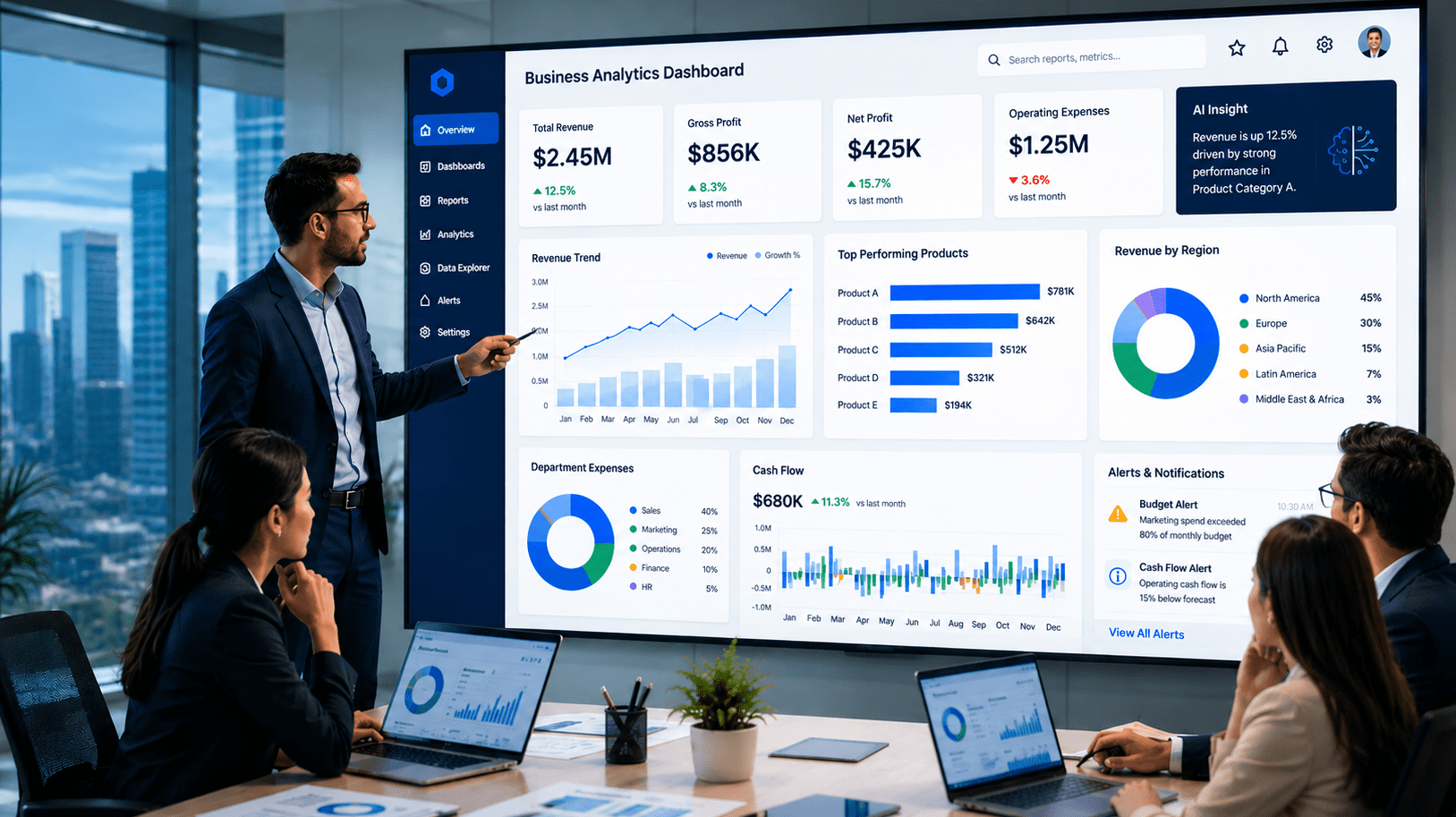
SutiDAnalytics supports role-based dashboard configurations, allowing organizations to define which metrics, reports, and data segments each user group can access. A department head logging in sees their department’s relevant data, not the entire company’s raw transaction feed. Each chart can also pull from a different data source, which means a single dashboard can unify data from multiple business systems simultaneously.
When evaluating platforms, ask to see how dashboards are configured for different user types. If the answer involves significant custom development or a professional services engagement, factor in the cost and time when making your decision.
- Ask: Can a non-technical admin build and assign role-based dashboards without developer support?
- Ask: How many pre-built dashboard templates are included, and which functions do they cover?
- Ask: Can department heads customize their own views, or is that locked to admins?
Section 3: Pricing Models Hide the Real Cost Until Year Two
Analytics platform pricing is rarely what it appears at first glance. Vendors quote a per-user monthly fee, and buyers do the math on their current headcount. What they miss is the underlying module structure: advanced reporting, historical data export, API access, and dedicated support are add-ons. By the time you have a fully functional deployment, the real cost is often 40 to 60 percent higher than the headline price.
SMBs are particularly exposed to this pattern because they often start with a limited deployment, see the value, and then want to expand access across the team. That is exactly when the per-user cost structure starts to compound. Adding 10 users at a $ 30-per-user price point is $300 per month, but if those users each need module access, which costs an additional $15 per user, you are now at $450 per month for a capability you assumed was included.
The right approach is to calculate the total cost of ownership over 24 months, not the monthly price at the current user count. Include implementation, onboarding, any required integrations, the modules you know you will want in year two, and projected user growth. That number is what you are actually comparing between vendors.
SutiDAnalytics is built so that most teams can connect their data and build their first dashboard without involving IT or a third-party implementation partner. That matters for the total cost of ownership. With most enterprise BI tools, professional services fees for initial setup and data connector configuration can add 20 to 40 percent to year-one cost. SutiDAnalytics eliminates that line item because the connection, cleansing, and configuration work is handled within the platform itself.
- Ask: What is included in the base license, and what requires a module upgrade?
- Ask: Does the price per user decrease at volume, and at what thresholds?
- Ask: Are implementation, onboarding, and training included, or separately quoted?
- Ask: What is the contract structure, and what are the penalties for early exit?
Section 4: Static Reports Are Not Enough. Your Tool Should Find Problems Before You Do.
Reporting tells you what happened. Alerting tells you what is happening right now, before it becomes a problem. Most SMBs evaluate analytics platforms primarily on reporting quality and overlook alerting capabilities entirely. That is a costly oversight.
Consider a straightforward scenario: a department is on track to exceed its quarterly budget by 18 percent, but the overrun is occurring gradually through dozens of small transactions. A static monthly report will surface this at month-end, when the damage is already done. A well-configured alert would flag the trend when 70 percent of the budget has been consumed and give the department head two weeks to course-correct.
Threshold-based alerts and exception reporting are not advanced features. They are baseline requirements for any organization that wants analytics to drive decisions rather than document outcomes. Ask vendors to demonstrate alert configuration, not just show you that alerts exist.
SutiDAnalytics embeds AI at every level of the analytics process. Beyond threshold alerts, the platform’s AI Auto Analytics feature automatically identifies statistical anomalies, trend shifts, and distribution patterns across your data, surfacing signals you may not have thought to look for. The AI ChatBot goes further: ask ‘What is driving the Q3 dip?’ in plain English and get a specific, data-backed answer, not just another chart.
Beyond budget alerts, look for anomaly detection: the ability for the system to flag unusual patterns even when you have not defined an explicit threshold. A vendor submitting invoices at unusual intervals, a department with a sudden spike in discretionary spend, a project that has consumed 90 percent of its budget at the halfway mark. These signals exist in your data. A capable analytics tool surfaces them automatically.
- Ask: Can we configure custom alerts by department, cost center, and spend category?
- Ask: Does the system support anomaly detection, or only threshold-based rules?
- Ask: Are alerts delivered in-app, by email, and by mobile notification?
Section 5: Implementation Time Is a Real Business Cost, Not a Technical Detail
The average SMB does not have a data engineering team. No dedicated BI developer, no data warehouse administrator, no internal IT resource who can spend six weeks on a custom implementation. This is the reality most enterprise analytics vendors are not designed for, and it is where many SMB deployments stall or fail.
When a vendor quotes a four-to-six-week implementation timeline, ask them to define what that includes. In many cases, that estimate assumes you have clean, structured data already available, that someone on your team is available full-time to manage the project, and that you are not requesting any customization beyond the standard configuration. None of those assumptions is typically true for a growing SMB.
Time to first insight is the metric that actually matters. Not time to sign the contract, not time to complete the implementation. Time to the first dashboard that a real department head looks at and says, ” This tells me something I did not know before. If that takes four months, the tool has already cost you four months of better decisions.
SutiDAnalytics is designed so that most teams are up and running within minutes, not weeks. There is no lengthy IT setup, no data migration exercise, and no onboarding process that requires a dedicated project manager. Connect your data source, configure your first dashboard, and share it with your team on day one. That is a materially different starting position from enterprise BI tools that require a scoping engagement before a single report is built.
For any platform you evaluate, ask for a realistic implementation case study from a customer of comparable size and complexity. Not a logo on a reference page. A documented timeline with specific milestones, including the date they saw their first live report.
- Ask: What is your documented average time-to-first-insight for a company our size?
- Ask: What internal resources do we need to dedicate during implementation?
- Ask: Is there a guided onboarding program, and what does it include?
- Ask: What has caused implementations to run over schedule with customers like us?
Section 6: Security and Access Controls Are Not Optional at Any Company Size
SMBs consistently underestimate their compliance and security exposure when evaluating software. The assumption is that compliance requirements apply to large enterprises with public reporting obligations. That assumption is wrong, and it is getting more wrong every year as data privacy regulations extend their reach into mid-market business operations.
An analytics platform has access to some of your most sensitive business data, including financial performance, vendor relationships, employee expense behavior, and procurement spend by category. Without granular access controls, that information may become accessible to more people within your organization than necessary, and could also be exposed to external security risks
Role-based access control is not enough on its own. You also need audit trails that show who accessed which data and when, data residency options if your business operates across jurisdictions with different data storage requirements, encryption in transit and at rest, and a clear policy on how the vendor uses your data for their own purposes, including whether your data is used to train models or inform product development.
SutiDAnalytics is SOC 1 and SOC 2 Type II certified, HIPAA compliant, GDPR-ready, PCI DSS compliant, and ISO 9001:2015 certified. All data is protected with 256-bit SSL encryption. The platform includes role-based access control at the report and dashboard level, two-factor authentication, and detailed audit trails across all user activity. Organizations in regulated industries, including healthcare and financial services, can configure data access policies without custom development.
Ask every vendor for their security documentation before the contract stage, not during it. A vendor who cannot produce a clear data processing agreement, a SOC 2 Type II report, or answers to a standard security questionnaire is a vendor you should proceed with caution.
- Ask: What certifications do you hold, and when were they last audited?
- Ask: Can we see your data processing agreement and understand how our data is used?
- Ask: What are our data residency options if we operate in regulated jurisdictions?
- Ask: How do we revoke access and retrieve or delete our data if we exit the contract?
The SMB Analytics Tool Checklist: 10 Questions to Evaluate Before You Sign
Use this checklist during your vendor evaluation process. Print it, share it with your evaluation team, and work through each question with every platform you are considering. If a vendor cannot answer any of these clearly and specifically, that is important information.
| S.No | Criteria | What to Ask / Verify |
|---|---|---|
| 1 | Data source connectors | Does it connect to your existing databases and data sources (ERP, CRM, spreadsheets, APIs) without custom development or IT involvement? |
| 2 | Role-based dashboards | Can each department or user role see only the data relevant to their function? |
| 3 | Custom vs. pre-built reports | Are pre-built reports genuinely useful out of the box, or do they require heavy configuration? |
| 4 | Total cost of ownership | Have you calculated per-user fees, module add-ons, and implementation costs over 24 months? |
| 5 | Threshold-based alerts | Can the tool notify you when spend, usage, or performance crosses a defined limit? |
| 6 | Implementation timeline | Does the vendor offer guided onboarding with a defined time-to-first-insight? |
| 7 | Security and permissions | Does it support role-based access control, audit trails, and data residency options? |
| 8 | Scalability | Will the pricing and architecture support you when headcount doubles? |
| 9 | Mobile and export options | Can finance or operations leaders access key reports outside the office? |
| 10 | Vendor support model | Is dedicated support included, or is it an upsell? What are the SLAs? |
A Good Analytics Tool Changes How Your Business Asks Questions
The right analytics platform does something specific. It shifts conversations in your business from what happened last month to what we should do this week. That shift requires accurate, up-to-date data, reports delivered to the people who need them, and AI that surfaces problems before they show up in a monthly review.
It does not require a data team, a six-month implementation, or a platform designed for an enterprise ten times your size. It requires a tool that fits your current systems, team, and realistic budget over the next two years.
SutiDAnalytics is built for growing businesses that want financial intelligence, operational visibility, and AI-driven insight without the implementation overhead of enterprise BI tools. It connects to the databases and data sources your team already runs, including MySQL, PostgreSQL, SQL Server, spreadsheets, and APIs, and delivers dashboards, AI analysis, and automated reporting without requiring SQL knowledge or a dedicated data team.
Compare SutiDAnalytics against other platforms on the criteria in this checklist, and see how the answers hold up. Request a personalized demo to see your own data categories reflected in a live environment, not a pre-configured sales scenario.