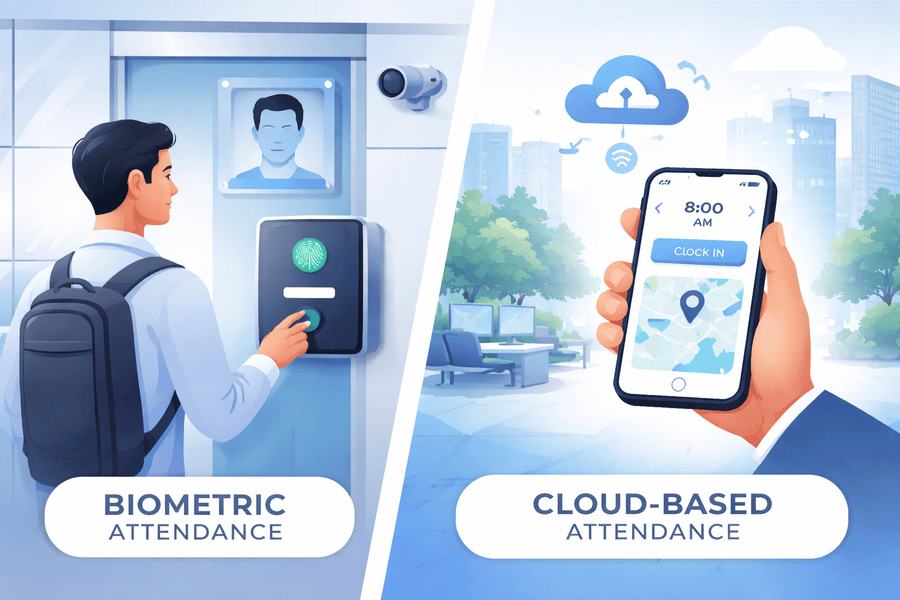
Attendance tracking has never offered more options, which also means more ways to end up with the wrong system. Two approaches dominate the market: biometric hardware that verifies identity using physical characteristics, and cloud-based platforms that capture attendance via web browsers, mobile apps, and location-based verification tools.
Both work. Both have a legitimate place. The question isn’t which is objectively better; it’s which one actually fits your workforce structure, compliance environment, and how your people work.
This guide breaks down how each system works, where each performs best, what the real cost and implementation differences look like, and how growing businesses are increasingly combining both approaches to get the most out of each.
The right attendance management software is not necessarily the most sophisticated. It’s the one that captures accurate time data reliably for the workforce you actually have.
Key Takeaways
- Biometric and cloud systems aren’t competitors. They solve different problems. The right choice depends on your workforce structure, not which technology is more advanced.
- Biometric excels at fixed, high-volume locations where buddy punching is a real risk, and all employees report to a single location.
- Cloud platforms are built for distributed workforces, remote workers, multiple locations, or rapid growth. They scale instantly and integrate natively with payroll and HR systems.
- Cost isn’t straightforward. Biometrics have higher upfront costs but low ongoing per-user costs. Cloud is cheaper to start, but carries subscription fees. The right answer depends on your size and the number of locations.
- Many organizations use both. A cloud platform as the central system with biometric hardware at key locations gives you verification strength and software flexibility.

Need an Affordable HR Solution for Your Business?
SutiHR offers scalable tools designed for growing companies.
How Biometric Attendance Systems Work
Biometric systems verify identity through a physical characteristic. The most common methods are:
- Fingerprint scanning: the employee places a finger on a reader; the system matches it against an enrolled template and records the clock-in.
- Facial recognition: a camera captures the employee’s face and matches it against an enrolled profile. Increasingly common in modern deployments due to touchless operation, which became a priority post-pandemic.
- Iris or palm scanning: used in high-security environments where fingerprint or facial recognition isn’t precise enough.
In every case, the device is located at a fixed place: an entrance, a production floor, a break room. Employees have to physically interact with it to record attendance. There are no passwords, badges, or PINs to manage, and the system can’t be fooled by buddy punching, where one employee clocks in on behalf of someone who isn’t there.
How Cloud-Based Attendance Systems Work
Cloud platforms capture attendance through internet-connected devices. Employees clock in using:
- Web browser: employees record attendance through a portal on any computer or tablet.
- Mobile app: employees clock in on their smartphones, with optional geofencing to verify their location.
- Workplace kiosk: a shared tablet at an entry point acts as a clock-in station with PIN or QR verification.
- Single Sign-On (SSO) integration: In some enterprise environments, clock-in is tied to the employee’s system login, so no separate action is required.
All data lives in the cloud. There’s no server to maintain and no restrictions on where employees can be when they clock in.
Biometric vs Cloud-Based Attendance: What the Differences Mean in Practice
| Strong physical identity verification | Biometric System | Cloud-Based Platform |
|---|---|---|
| Identity Verification | Physical biometric at a fixed device | PIN, mobile, geofencing, SSO, or optional biometric add-on |
| Hardware Required | Yes; dedicated scanner required per location | Yes, a dedicated scanner is required per location |
| Remote Worker Support | Not supported; requires physical presence at a device | Full support via mobile app and geofencing |
| Multi-Location Deployment | Hardware must be purchased and installed at each site | Instant; any location accessible via web or app |
| Implementation Timeline | Weeks to months (hardware procurement, installation, enrollment) | Days to weeks (configuration and user onboarding) |
| Upfront Cost | High; hardware cost plus installation per device | Low; subscription-based with no hardware cost |
| Ongoing Maintenance | Hardware repair, replacement, and firmware updates | Vendor-managed software updates, no hardware overhead |
| Buddy Punching Prevention | Strong; physical identity verification | Moderate to strong; geofencing and photo capture available |
| Strong physical identity verification | Stores biometric identifiers; state law compliance required | No biometric data storage required; standard data security |
| Scalability | Constrained by hardware capacity and procurement lead time | Immediate: add users and locations via subscription |
| Payroll & HR Integration | Requires middleware or vendor integration | Immediate: add users and locations via subscription |
| Best For | Fixed locations, high buddy-punching risk, and security environments | Distributed, hybrid, remote, or rapidly scaling workforces |
When Biometric Attendance Systems Are the Right Choice
Biometric systems are purpose-built for environments where physical identity verification is genuinely necessary.
High-Volume Hourly Workforces with Buddy Punching Risk
In manufacturing, warehousing, and distribution, clocking in for a colleague is easy to do and hard to catch. Biometrics closes that gap. If the right finger or face isn’t present, the clock-in doesn’t register.
Fixed-Location Operations
Single-location operations get the full benefit of biometrics without hitting its limitations. Install once, enroll once, and the system runs with minimal ongoing attention.
Security-Sensitive Environments
Government facilities, financial institutions, data centers, and healthcare settings often have compliance or access-control requirements that effectively mandate biometric verification.
| Biometric Best Fit | Manufacturing, warehousing, distribution, secure facilities, government-contracted workforces, fixed-location operations with large hourly workforces. |
When Cloud-Based Attendance Systems Are the Right Choice
Cloud platforms were built for workforce structures in which biometrics falls short.
Remote and Hybrid Workforces
A biometric device in a central office can’t capture attendance for someone working from home or at a remote site. Cloud platforms with mobile clock-in and geofencing close that gap.
Multi-Location Businesses
With biometrics, every new location means hardware procurement, installation, and ongoing maintenance. Cloud extends instantly to any number of sites.
Rapidly Growing Organizations
Adding locations with biometric means buying and installing more hardware every time. With cloud, it’s a configuration change.
Data Privacy Compliance
Fingerprints and facial geometry are classified as sensitive personal information under a growing set of state laws, including Illinois’ Biometric Information Privacy Act (BIPA), Texas’ Capture or Use of Biometric Identifier Act, and similar legislation in other states. If you store biometric identifiers, you carry compliance obligations and legal exposure that cloud platforms without biometric data storage simply don’t have.
| Cloud Best Fit | Remote and hybrid teams, multi-location businesses, rapidly growing organizations, companies prioritizing payroll/HR integration, and businesses managing biometric data privacy risk. |
Cost Comparison: What Businesses Actually Spend
Cost is where a lot of organizations get tripped up, because the comparison isn’t apples-to-apples. Biometric systems hit harder upfront but have low per-user ongoing costs. Cloud platforms are cheaper to start, but carry subscription fees that add up over time. Which one costs less depends heavily on your size, growth rate, and the number of locations you’re running.
| The time cost to enroll each employee’s biometric data | Biometric System | Cloud-Based Platform |
|---|---|---|
| Hardware | $200–$800+ per device depending on modality | None |
| Installation | Per-device installation and configuration cost | None |
| Software/License | One-time or annual per-device license | Per-user monthly or annual subscription |
| Enrollment | Time cost to enroll each employee’s biometric | The time cost to enroll each employee’s biometric |
| Maintenance | Hardware repair, firmware, and replacement cycles | The time cost to enroll each employee’s biometric |
| Scaling Cost | Hardware purchase + installation per new location/device | Subscription adjustment; no hardware |
| Data Privacy Compliance | Legal review and compliance program for biometric data laws | Minimal; no biometric identifiers stored |
| Integration | Middleware or custom integration may be required | Native integrations typically included |
Single-location, stable headcount: biometric often wins on three-to-five-year TCO. Multiple locations or high turnover: cloud usually comes out ahead.
Want to experience seamless HR management?
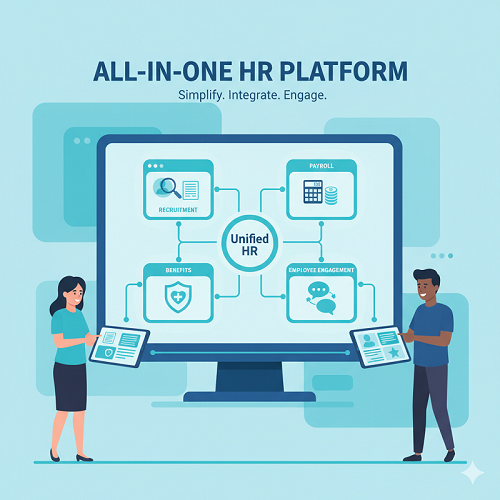
Schedule a personalized demo and see how SutiHR can help streamline recruitment, payroll, benefits, and employee engagement—all in one platform.
The Hybrid Model: Getting the Best of Both
Many organizations run both a cloud platform as the system of record and biometric hardware at locations where identity verification matters most.
This model works as follows:
- The cloud platform is the central system: handling all attendance data, policy enforcement, reporting, and payroll integration across your workforce.
- Biometric devices at fixed locations feed into it: clock-in events are transmitted to the cloud and sit alongside mobile and web records in a unified system.
- Remote and field employees use mobile clock-in, with geofencing confirming location without a physical device.
The result is one unified attendance record, with hardware-level verification where it matters and software flexibility everywhere else.
Most organizations don’t have to pick one. A cloud platform with biometric integration at key locations gives you the verification strength of hardware and the flexibility of software.
How to Choose: A Decision Framework
Work through these questions against your own situation. The pattern in your answers will point you in the right direction.
| Yes, high priority to eliminate | Biometric Leaning | Cloud Leaning |
|---|---|---|
| Do you have remote or hybrid employees? | No | Yes |
| Do you operate across multiple locations? | No; single or few fixed sites | No, single or a few fixed sites |
| Is buddy punching a documented problem? | Yes; high priority to eliminate | Yes, high priority to eliminate |
| How important is rapid scalability? | Low priority | High priority |
| Are biometric data privacy laws applicable? | Requires review and compliance program | Not a concern without biometric data |
| Do you need native payroll/HRIS integration? | Secondary concern | High priority |
| What is your implementation timeline? | Weeks to months acceptable | Rapid deployment required |
Mostly biometric column: go with biometric-primary, using the cloud for reporting and payroll. Mostly cloud-column: go cloud-first, with optional biometrics at key sites.
What to Look for in an Attendance Platform in 2026
These capabilities should be standard in any platform you evaluate:
- Payroll integration: Native, bi-directional data flow with your payroll system. Manual export/import is a sign of an outdated approach to integration.
- Configurable policy rules: Tardiness thresholds, grace periods, and overtime alerts should be configurable by department, role, and location. One-size-fits-all policy configuration is a limitation, not a feature.
- Audit-ready compliance reporting: Timestamped records for every attendance event, filterable by employee, department, date range, and exception type.
- Data security and privacy controls: SOC 2 compliance, role-based access controls, and clear data retention policies are non-negotiable for any cloud platform storing workforce data.
Conclusion
Biometric and cloud attendance systems aren’t competing philosophies. They’re built for different situations, and picking the wrong one for your workforce creates problems that no amount of configuration will fix.
For most growing businesses, a cloud-first approach with biometric options at key locations is the practical answer. The companies that get this right aren’t the ones that chose the most sophisticated technology. They’re the ones who chose what actually fit their workforce.
SutiHR’s cloud-based attendance management platform supports biometric hardware integrations, mobile geofenced clock-in, and native payroll connectivity, built for the workforce structures of 2026.

Ready to Revolutionize Your HR Strategy?
Explore SutiHR’s AI-powered tools and start transforming your HR processes today.
FAQs
Biometric systems offer stronger identity verification because they require a physical characteristic for clock-in. Cloud-based systems with geofencing and photo capture offer comparable accuracy across most workforce types, without hardware requirements. The right answer depends on your identity-verification risk profile.
Biometric attendance systems are legal in most jurisdictions, but a growing number of U.S. states, including Illinois, Texas, Washington, and others, have enacted laws with specific consent, storage, and data destruction requirements for biometric identifiers. If you’re deploying biometric hardware, get a jurisdiction-specific legal review done before you start enrolling employees.
Yes, with the right configuration. Geofencing requires employees to be at an approved location to clock in. Photo capture at clock-in creates a visual record for exception review. These controls address the majority of buddy-punching risk without requiring physical biometric hardware.
Cloud platforms typically go live in days to a few weeks. Biometric hardware deployments usually take weeks to months, depending on the scope of procurement and enrollment.
Yes. The standard approach is a cloud platform as the central system, with biometric hardware at fixed locations feeding into it. You get hardware-level verification where it matters and software flexibility everywhere else.