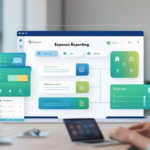

When a sales team submits expenses differently than the engineering team, and both differ from the executive group, the expense process is working as it should. The difficulty most finance teams face is that many expense platforms force every user into the same rigid workflow, regardless of how differently their roles actually operate.
Configurable travel expense automation adapts the reporting process to the way your teams actually operate, without forcing everyone through a single approval chain or asking finance to manually route every exception. Adaptability is built into the workflow itself, enforcing policy and routing approvals based on the specific dimensions your organization uses to manage spending: vendor, role, account code, department, and class.
Approval Routing That Reflects Organizational Structure
Approval workflows break the moment they stop reflecting how decisions are actually made. A sales rep’s meal in New York requires different sign-off than a facilities manager’s equipment purchase, even when both hit the same dollar threshold. Many expense platforms route both to the same approval queue. A configurable approval workflow routes each based on the dimensions that matter: the vendor, the submitter’s role, the account code, the department, or the class code.
Serial approval chains move through one approver at a time. Parallel chains split to multiple approvers simultaneously. The configuration is set up around the company’s org structure rather than forcing the company to change its approval process.
When an approver is unavailable, the workflow escalates automatically based on rules configured by the finance team, removing the AP team as the manual fallback. The workflow continues without requiring someone to manually reassign the approval or send a follow-up email.
Policy Enforcement at Submission, Not After the Fact
Policy violations caught during an audit were preventable at submission. When an expense platform flags non-compliant entries after approval has already routed, finance inherits a correction problem that should never have existed.
Expense audit rules enforced at submission check category restrictions, receipt requirements, and coding dimensions before the expense enters the approval queue. If a submitted entry violates policy, it does not proceed. Finance sees only compliant, pre-coded entries. The controller’s team is not the enforcement mechanism.
Mobile OCR receipt capture auto-codes expenses against the chart of accounts at the point of submission, reducing the manual entry time that typically creates miscoded or incomplete entries. The employee captures the receipt at purchase, before it is lost or forgotten. The system handles the categorization.
Automation That Feels Individual Without Being Manual
Personalization in expense reporting is not about greeting employees by name. It is about ensuring the process adapts to the role, the department, the project, and the vendor without requiring manual configuration for every individual user.
When approval routing, policy enforcement, and coding rules are built around organizational dimensions rather than user-by-user exceptions, the system scales without multiplying administrative overhead. A new hire inherits the approval workflow and policy rules for their role. A department reorganization updates routing without touching every individual’s settings.
The result is an expense process that feels adapted to each user’s context, because it is, without requiring the finance team to become the manual configuration layer for every new scenario.
Next Step
Review your current expense approval workflow. Identify the routing exceptions your finance team handles manually every month. If the count is more than zero, your platform is forcing manual intervention where configurable automation should operate. Take a look at the expense report software and request a demo to see how approval routing adapts to your organizational structure.