Most teams that run procure-to-pay manually are not switching from another platform. They are moving off spreadsheets, email chains, and ERP purchase-order forms that require someone to type every field by hand. The process works, until it doesn’t: a department overspends without anyone noticing until month-end, a vendor ships against a PO that was never formally approved, or an invoice arrives for goods that were never received.
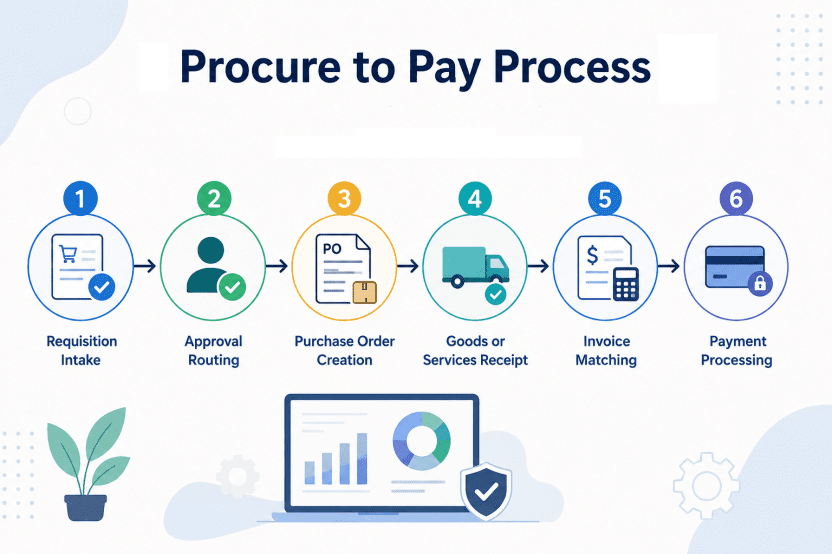
The procure-to-pay cycle is the end-to-end workflow that runs from purchase requisition through supplier payment. It covers requisition intake, approval routing, purchase order creation, goods or services receipt, invoice capture and matching, and payment processing. Procurement typically manages the purchasing side of the workflow, while accounts payable handles invoice processing.
When each step happens in a different system or on paper, the gaps between them become places where mistakes hide until an audit finds them.
This blog walks through the P2P cycle step by step: what happens at each stage, where the handoffs occur, and where AI-powered automation changes the workflow from manual tracking to system-enforced controls.
Requisition Intake: The Request Enters the System
Requisition intake is where the P2P cycle begins. An employee or department head submits a request to purchase goods or services, typically via a guided form or catalog-based selection in a procurement platform.
In a manual process, this step happens over email or a shared spreadsheet. The requester describes what they need, and procurement re-keys the details into a PO form later. In an automated system, the requisition is structured at the point of entry: item, quantity, vendor, budget code, and delivery date are captured once, and that data flows through every downstream step without being retyped.
The difference is not just speed. A requisition that arrives incomplete or miscoded creates rework at every stage that follows. Guided intake reduces that by surfacing catalog items, pre-approved vendors, and budget thresholds at the moment the request is being written, so the requester knows whether a purchase is within policy before submitting it.
Approval Routing: The Request Moves to the Right Person Automatically
Once a requisition is submitted, it enters an approval workflow. Approval routing applies configurable rules by role, budget threshold, and department to route requisitions to the correct approver. If an approver is unavailable, the workflow escalates automatically rather than stalling.
In a manual workflow, this step requires someone in procurement to know who should approve the request and then email or message that person directly. If the approver is traveling or out of office, the request sits until someone follows up. In an automated system, the routing logic is encoded: requisitions over a certain dollar threshold go to a VP, items in a specific category go to a department head, and urgent requests can bypass standard routing with manager override.
Escalation rules handle the unavailability problem. If an approver does not respond within a set timeframe, the system routes the request to a backup approver or escalates it up the org chart. The requester and procurement team see the status in real time without needing to ask where it is.
Purchase Order Creation: The Commitment Is Formalized
After a requisition is approved, a purchase order is issued. Purchase orders formalize the commitment to a supplier and establish the expected cost, quantity, and delivery terms that will later be matched against the invoice.
In a manual process, someone in procurement types the approved requisition details into a PO template, emails it to the vendor, and files a copy for later matching. In an automated system, the PO is generated directly from the approved requisition. The data entered at intake (item, quantity, price, delivery date) populates the PO without being retyped, and the PO is sent to the vendor electronically. The supplier can then confirm the order details and expected delivery date, allowing procurement to identify discrepancies before fulfillment.
The PO is the control document for everything that follows. When goods are received, the receiving team checks them against the PO. When the invoice arrives, accounts payable matches it against the PO and the receipt record. If any of those three documents disagree, the discrepancy surfaces as an exception rather than being paid incorrectly.
Goods Receipt: What Was Ordered Is Confirmed as Received
When goods or services are received, the receiving team records what actually arrived: the quantity, condition, and any discrepancies against the original PO. This step creates the receipt record that will be used in the invoice matching process.
In a manual workflow, the receiving team checks the shipment against a printed PO, marks any differences on paper, and eventually updates the procurement or ERP system. The time gap between physical receipt and system update is where inventory, budget, and invoice data fall out of sync.
In a smart procure-to-pay system, the receipt is recorded in the platform as soon as the goods are checked in. The system compares the receipt record to the PO immediately and flags discrepancies (shortages, overages, damaged goods, wrong items) for procurement to resolve before the invoice is processed. That comparison is what prevents an invoice from being paid for goods that were never received or were received in the wrong quantity.
Invoice Matching: The Pay-Side Workflow Begins
The P2P cycle splits cleanly at invoice receipt. Procurement owns the buy-side workflow (requisition through PO and receipt), and accounts payable owns the pay-side (invoice capture, matching, approval, and payment).
When an invoice arrives, it is first captured and validated before being matched against the PO and receipt record. The invoice is checked for key information such as the supplier, invoice number, amount, PO reference, and applicable quantities or prices. Automated invoice capture can reduce manual data entry and help identify duplicate or incomplete invoices before they move further through the workflow.
Three-way match (PO plus receipt plus invoice) is the control mechanism that ensures what was ordered, what was received, and what is being billed all align before payment is authorized.
If all three documents agree, the invoice can be approved for payment with minimal manual review. If they do not agree (quantity mismatch, price difference, missing receipt), the invoice is flagged as an exception and routed to procurement or the receiving team to resolve the discrepancy before payment is released.
Once the invoice is approved and any exceptions are resolved, it can move into the organization’s payment process according to its payment terms and approval rules. Payment status can then be recorded against the invoice, giving finance teams visibility into what has been approved, paid, or remains outstanding.
SutiProcure handles requisition through PO and receipt. SutiAP handles invoice capture and matching from that point forward, supporting a connected procure-to-pay workflow on a shared data layer.
The procurement team sees the full cycle from request to payment in one system rather than reconciling data between two disconnected platforms.
Where Automation Changes the Workflow
The manual P2P workflow is not broken because the steps are wrong. It is inefficient because each step requires someone to rekey data, chase approvals, or reconcile discrepancies by hand. Automation removes those gaps.
Requisitions that are guided at intake arrive complete and correctly coded, so procurement reviews rather than reconstructs them. Approval routing that is rule-based moves requests to the right person without manual forwarding and escalates automatically when an approver is unavailable. Purchase orders that are generated from approved requisitions carry accurate data to the vendor and to the receiving team without being retyped. Receipt records that are captured in the system immediately feed into the invoice matching process without a reconciliation step. Automated three-way matching flags discrepancies before payment rather than relying on manual review or discovering problems during an audit.
The result is a workflow where the system enforces the controls and the people handle the exceptions, rather than the other way around.

Ready to Simplify Procure-to-Pay?
Automate procurement workflows with SutiProcure for greater control, visibility, and efficiency.
FAQs
P2P provides greater visibility into organizational spending, helps enforce purchasing policies, and creates consistent transaction records for financial reporting and audits.
P2P software can exchange purchasing, supplier, invoice, and accounting data with ERP or financial systems through integrations or APIs, reducing duplicate data entry.
Organizations should evaluate workflow automation, approval controls, invoice processing, ERP integrations, reporting, audit trails, scalability, and the ability to support their purchasing policies.
Yes. P2P software can support different departments, business units, locations, budgets, and approval structures while maintaining centralized procurement controls.
Common metrics include procurement cycle time, invoice processing time, exception rates, policy compliance, approval turnaround time, and the percentage of transactions completed without manual intervention.