

Unlock smarter, faster, and more secure document processes with the right integrations
In a world where speed and accuracy define success, businesses can no longer afford to treat document signing as a separate task. Think about it – how many times have you watched a deal stall because someone had to print, sign, scan, and email a document? Or worse, how often has a signed version gone missing in an endless chain of attachments?
These moments aren’t just frustrating – they’re productivity killers. The problem isn’t signing itself; it’s how disconnected that process often is from the rest of your business ecosystem.
Now imagine this: your employees don’t leave their favorite tools – CRM, ERP, HR, CLM, or invoicing systems – to sign a document. The signing happens right there, seamlessly. Once signed, the system automatically updates records, triggers follow-up actions, and alerts the next team. No toggling between apps. No lost documents. No waiting.
That’s the power of eSignature integration – and the reason platforms like SutiSign are transforming how organizations work.
In this article, we’ll break down why integration matters, explore real-world use cases across departments, and present a roadmap for success. We’ll also look at emerging trends that are shaping the next generation of integrated eSignatures – from AI automation to blockchain-backed verification.
Why Integration Matters: From Disconnected to Connected
For many businesses, the signing process is still stuck in the past. Documents are created in one system, exported, emailed for signatures, then manually uploaded or updated elsewhere. This “sign-and-send” model creates a ripple of inefficiencies:
The result? Frustration, delays, and unnecessary costs.
- Disconnected Data: A signed contract doesn’t automatically update your CRM or ERP.
- Manual Re-entry: Teams waste hours copying information back into different systems.
- Missed Obligations: Renewal dates and approvals slip through the cracks.
- Poor Visibility: It’s unclear who signed, when, and what the document’s current status is.
- Fragmented Experience: Employees, partners, and customers juggle multiple logins and attachments.
Integration: The Real Game Changer
By embedding your eSignature solution into the core of your business systems, you transform signing from a disconnected task into a seamless workflow.
When integrated with your applications, eSignature software delivers:
Integration doesn’t just make signing faster – it makes your entire process smarter.
- Speed: Documents move automatically from creation to signing to archival.
- Accuracy: Eliminates redundant data entry and human error.
- Visibility: Real-time dashboards track every stage of the signing process.
- Better Experience: Employees and customers enjoy a smooth, click-to-sign journey.
- Compliance: All signatures, logs, and records stay secure and auditable.
- Cost Efficiency: No paper, no delays, no rework.
Business Impact: What You Gain
When organizations integrate eSignature software with their daily business applications, the benefits go far beyond faster signatures. You gain:
This is how digital signing becomes a connected component of your business—not just a signature box at the end of a workflow.
- Time Savings: Cut document turnaround time from days to minutes.
- Higher Completion Rates: Reduce dropped or abandoned documents.
- Faster Revenue: Close deals and activate contracts sooner.
- Compliance Confidence: Centralized logs and identity verification keep you audit-ready.
- Unified User Experience: A single, familiar interface for employees, customers, and vendors.
- Automated Actions: Once a document is signed, trigger follow-up tasks like onboarding, invoice generation, or payment release – without human intervention.
Key Integration Scenarios for eSignature
Let’s see how eSignature integration plays out across key business areas, and why it’s such a powerful catalyst for efficiency and growth.
CRM/Sales & Contract Signing
In sales, timing is everything. When a deal is ready to close, every hour counts.
By integrating eSignatures into your CRM, your team can:
Benefits: Faster deal closure, improved accuracy, and a better buyer experience.
With SutiSign’s integration-ready APIs, you can automate everything from proposal generation to final approval.
- Send contracts directly from opportunities or quotes.
- Pre-fill signer details automatically from CRM data.
- Track signing status in real-time without leaving the CRM.
- Trigger automatic updates once a contract is signed – such as marking a deal as “Closed Won.”
ERP/Procurement/Supplier Management
Procurement cycles often involve multiple layers of approvals and documentation – purchase orders, vendor agreements, NDAs, and invoices.
By integrating an eSignature solution into your ERP system, you can:
Benefits: Reduced cycle times, improved compliance with procurement policies, and complete visibility across every supplier interaction.
- Route supplier contracts and POs automatically for signing.
- Sync signed documents back into the ERP’s record management.
- Trigger payment approvals or supplier onboarding as soon as documents are signed.
HR/Employee Onboarding
HR teams manage a continuous flow of documents – offer letters, onboarding forms, policy acknowledgments, and more.
With eSignature integration, these processes become seamless:
Benefits: Faster onboarding, reduced paperwork, and a more professional experience for new employees – reflecting your company’s tech-forward culture.
- New hire documents are sent, signed, and archived digitally.
- Employee data automatically updates in your HRIS once signed.
- Remote hiring becomes effortless with mobile-friendly signing options.
Finance/Accounting – Invoice & Payment Integration
In finance, accuracy and timing are critical. Integrating eSignature with your invoicing and payment systems ensures that every approval, from billing to payment release, happens on time and within policy.
Benefits: Improved financial control, reduced bottlenecks, and faster payment cycles – especially valuable for organizations managing multiple subsidiaries or currencies.
- Approvers can sign invoices or expense reports from any device.
- Once approved, payment requests automatically trigger in the accounting system.
- Audit trails ensure every signature is tracked and time-stamped.
Contract Lifecycle Management (CLM)
Contracts are living documents – they evolve through creation, negotiation, approval, signing, and renewal. Integrating eSignature into your CLM system ensures that every stage stays connected.
Benefits: Complete traceability, fewer missed renewals, and tighter control over contract performance.
- Automatically send contracts for signature once approvals are complete.
- Sync signed versions to your repository with metadata (dates, parties, clauses).
- Trigger renewal reminders or compliance checks based on contract terms.

Transform Your Business with Connected eSignature Workflows
Integrate SutiSign with your CRM, HRM, ERP, and CLM systems for faster, smarter operations.
New Trends: Beyond Simply Signing
As eSignature platforms evolve, they’re becoming the heartbeat of connected business ecosystems. Let’s explore two emerging concepts that are taking integration to the next level.
Embedded Signing & Invisible Workflows
Imagine your users never have to leave their primary workspace to sign a document. With embedded signing, the entire process happens inside the same application.
Benefit: Streamlined workflow, faster completion, and higher adoption across teams.
- In-app Signing: A salesperson can send and sign contracts directly within CRM.
- Inline payment + Signature: A client can agree to terms, sign, and pay in one seamless flow. (SutiSign supports integrated payment collection.)
- Triggered Micro-workflows: Once a document is signed, follow-up tasks like onboarding or invoice creation start automatically.
AI-Augmented Workflows & Analytics
Once your signing process is integrated, the data you collect can fuel smarter decisions.
SutiSign’s AI-powered insights help businesses move from reactive management to proactive optimization – turning eSignature into a growth enabler, not just a compliance tool.
- Analytics: Identify which document types take the longest or which signers cause delays.
- Predictive Alerts: Get notified if a document is likely to miss a deadline.
- Contract Intelligence: AI can extract key clauses or terms and feed them into compliance or renewal tracking.
- Process Optimization: Use data to fine-tune templates, routing logic, and reminders.
The Integration Roadmap: Practical Steps for Success
Integrating your eSignature platform is not just an IT project – it is a cross-functional initiative that touches business strategy, governance, and user experience. Here is a simple roadmap to get it right.
Define Your Business Goals
- What business outcomes are you aiming for? e.g., reduce turnaround time by 50%, increase signed contracts per month, eliminate paper entirely.
- Which departments/workflows are highest priority? Sales contracts? HR onboarding? Procurement?
- What metrics will you track for success? Number of documents signed, time taken, error rate, cost per document.
Map Existing Workflows and Systems
- Identify where documents originate, who must sign, what happens after signing.
- List all systems involved: CRM, ERP, HR, accounting, DMS.
- Identify current pain-points: delays, re-work, lost documents, manual data entry.
Choose Integration Patterns and Priorities
Decide which workflows to tackle first, based on business impact and feasibility. For each:
In the case of SutiSign, its open REST APIs and cloud-based architecture make integration flexible.
- Determine the integration type – API, connector, plugin, direct system-to-system.
- Clarify data flows – what must go in/out of signature platform (e.g., pre-populate fields, return status, update CRM).
- Decide on architecture – One-way (push from CRM) vs Two-way (feedback loop).
Address Security, Governance, and Compliance
- Ensure your eSignature solution meets the legal/regulatory framework in your geography/industry. SutiSign supports global eSignature laws (ESIGN, UETA, EU Directives) and uses encryption and audit trails.
- Define roles and permissions: Who can trigger signatures? Who can approve templates?
- Establish data-retention, archiving, audit-log policies.
- Consider identity verification: For high-risk documents incorporate KBA, biometric, OTP.
Build and Test Integrations
- Use sandbox environments to prototype workflows, API calls.
- Test end-to-end: Create documents → pre-populate fields → send for signature → signer completes → status returns → downstream action triggers.
- Ensure UI/UX is seamless for users – minimize context switching.
- Put in place error-handling, exceptions (if signer fails, document expired, signature rejected).
- Secure data flows between systems, validate API authentication, credentials, and tokens.
Launch & Train
- Roll out in waves, starting with pilot users or departments.
- Provide training: show users how workflows have changed, highlight benefits.
- Collect feedback: Are users comfortable? Are processes smoother?
- Adjust templates, routing logic, reminders based on real user feedback.
Monitor, Optimize, and Scale
- Monitor metrics – time to signature, number of reminders, abandonment rate, downstream trigger success.
- Analyze bottlenecks – maybe certain signers always delay, or certain document types get stuck.
- Optimize – refine templates, change workflows, adjust notification logic.
- Scale – expand integration into other departments, document types, geographies. Turn “signature” into a strategic, enterprise-wide capability.
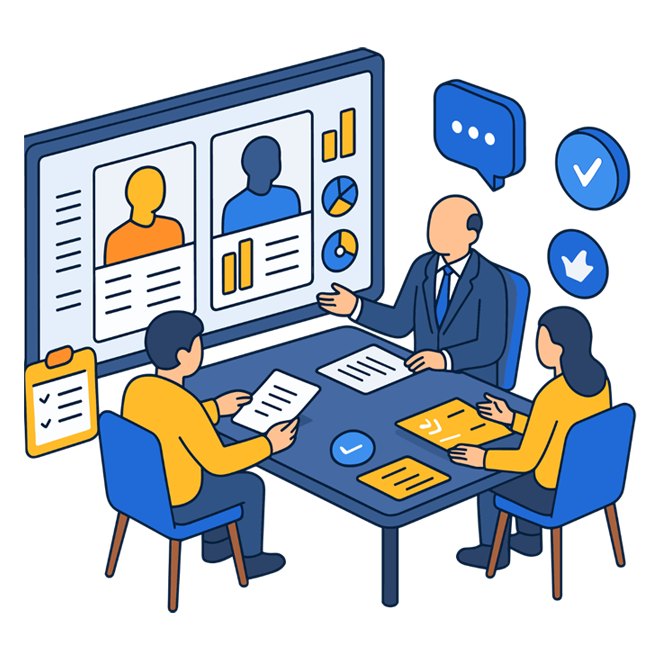
Smarter Signing Starts with Smart Integrations
SutiSign integrates with your daily business applications to automate approvals, routing, and updates.
Why SutiSign Is a Smart Choice
When it comes to integration-ready eSignature solutions, SutiSign stands out for its flexibility, security, and scalability.
SutiSign does not just let you send documents for signing – it helps you embed eSigning into the heart of your business processes.
- Robust Integrations & APIs: REST APIs and prebuilt connectors for CRM, ERP, HR, and finance systems.
- Workflow Automation: Customizable templates, bulk sending, multi-party signing.
- Security & Compliance: Adheres to global laws with encryption, audit trails, and OTP/biometric authentication.
- Analytics & Insights: Real-time dashboards to track signature progress and performance.
- Flexibility for enterprise and SMB: Scales from small teams to large organizations. Reviewers note ease of use, affordability.
The Future of eSignature Integration
As businesses evolve, eSignatures will continue to expand beyond simple document authorization.
SutiSign does not just let you send documents for signing – it helps you embed eSigning into the heart of your business processes.
- AI-Driven Workflows: Systems will predict bottlenecks and reroute tasks automatically.
- Embedded Signing Everywhere: From chatbots to voice assistants, signing will happen inside any digital interface.
- Blockchain Trust: Immutable verification of signed documents will strengthen compliance and supply chain trust.
- Global Workflows: Automated localization, language adaptation, and multi-currency payment links for cross-border operations.
- Continuous Agreements: Contracts that evolve dynamically – updating terms and obligations in real time.
Conclusion
Integrating your eSignature platform with your business applications is not just about convenience – it’s about transforming how your organization operates.
You move from documents as isolated tasks to documents as living parts of your process. You cut delays, improve visibility, enhance compliance, and create better experiences for everyone involved.
With solutions like SutiSign, you’re not just digitizing signatures – you’re connecting your entire business ecosystem. And that’s where real transformation begins.

AI-Powered Workflow Automation for eSignatures
Eliminate manual steps with intelligent routing, reminders, and signature actions.
Table of Contents
Frequently Asked Questions:
Why is integrating eSignature software with business applications so important?
How does eSignature integration improve productivity across teams?
Can integrated eSignatures help close sales deals faster?
What role does eSignature integration play in HR onboarding?
How does integration benefit procurement and finance operations?
How does AI enhance the value of integrated eSignature workflows?
What should businesses consider before integrating an eSignature solution?
Features
Product

©
SutiSoft, Inc. All Rights Reserved