


SUTIEXPENSE / EXPENSE REPORT AUTOMATION
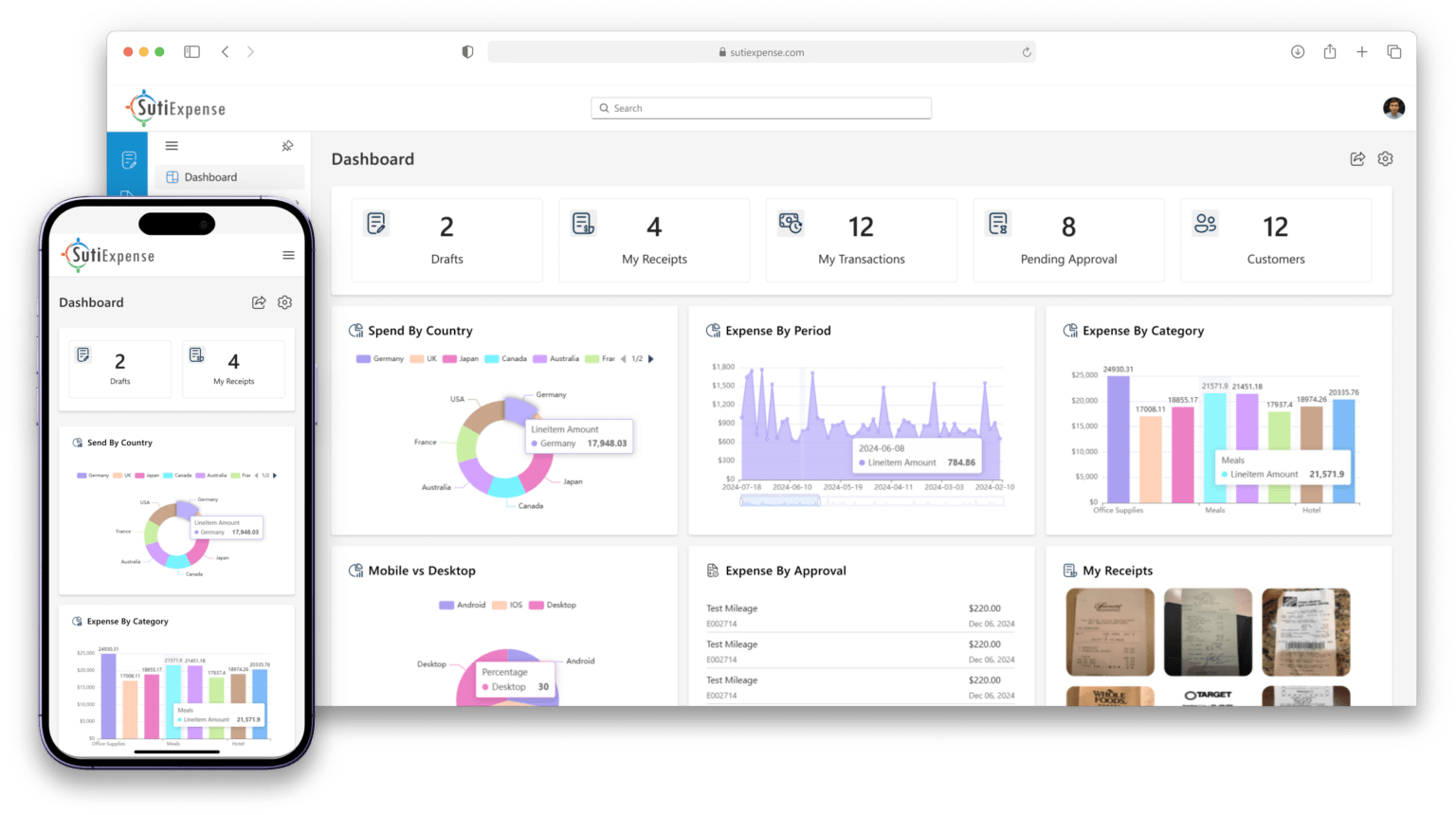
Receipts captured at the point of purchase. Coded on arrival. Checked against your policy before they are submitted. Routed to the right approver without anyone chasing anyone. SutiExpense is expense automation software that closes the gap between the spend happening and the entry landing in your general ledger.
Explore the workflow
Ask a Controller where the month-end delay actually comes from and the answer is rarely the software. It is the chain of manual steps around it.
−Receipts arrive by email, three weeks after the trip.
−Someone rebuilds them into a spreadsheet.
−Coding is guessed at submission and corrected at close.
−Policy gets checked by reading, one line at a time, by whoever has the patience for it.
−Approvals sit in an inbox until somebody follows up in person.
Every one of those steps is a person doing work a rule could do. And every one of them feeds the same exception queue your team has to clear before the books can close.
Working out which of those steps to tackle first? Read the guide to expense reporting automation for finance leaders.
CAPTURE + CODE
Automation starts at the moment of spend, not at the end of the month.
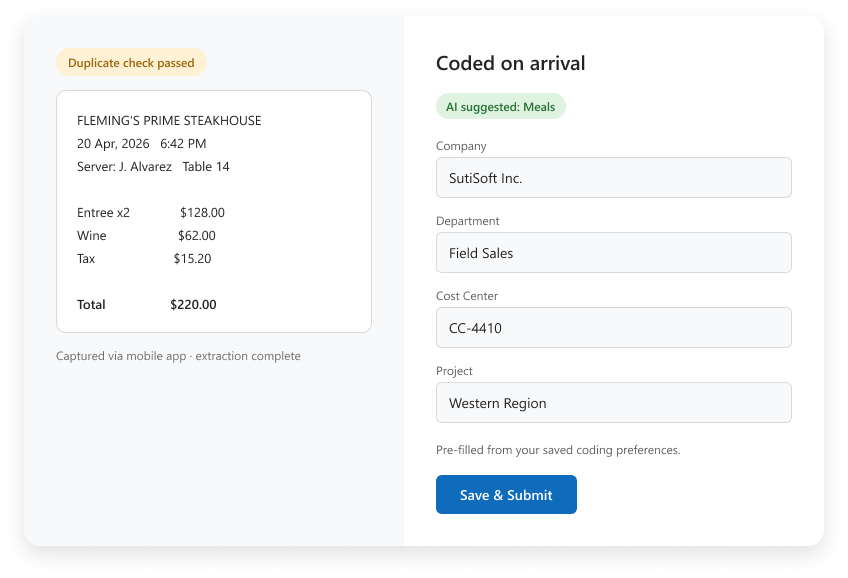
An employee photographs a receipt on their phone. High-accuracy AI extraction reads the merchant, date and amount, and builds the expense line from it. Nobody re-types anything, and nobody waits until they are back at a desk.
Coding is applied on arrival. Saved coding preferences hold each person’s usual project codes, cost centers and departments, so their lines pre-populate against your chart of accounts instead of arriving blank. Corporate card transactions come in through the card feed and reconcile against the captured receipt directly.
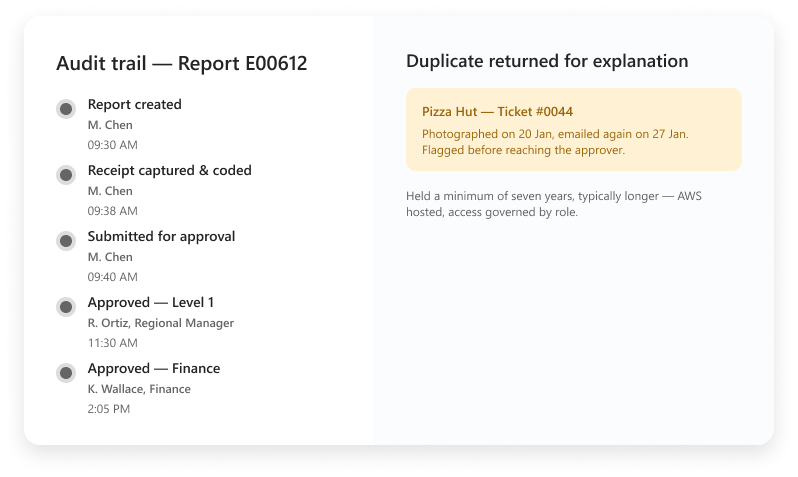
That is where most double-payment risk lives, and it is the check people are worst at doing by eye.
This is the difference between automated expense report software and a digital version of the same form. One removes the work. The other moves it.
POLICY
Policy is where expense report automation software earns its place. Not by producing a list of violations after the fact, but by preventing the submission that creates one.
Spending limits are set per user role and enforced at submission. Category rules apply automatically. Receipt requirements are hard: a submission that needs a receipt will not go through without one.
When something falls outside policy, the submitter sees it and the approver sees it, before the report is finalized. The out-of-policy conversation happens at submission, with the person who spent the money, instead of at close, with your team.
APPROVE
Approvals stall for ordinary reasons. Someone is travelling. Someone changed roles. Someone did not see the email.
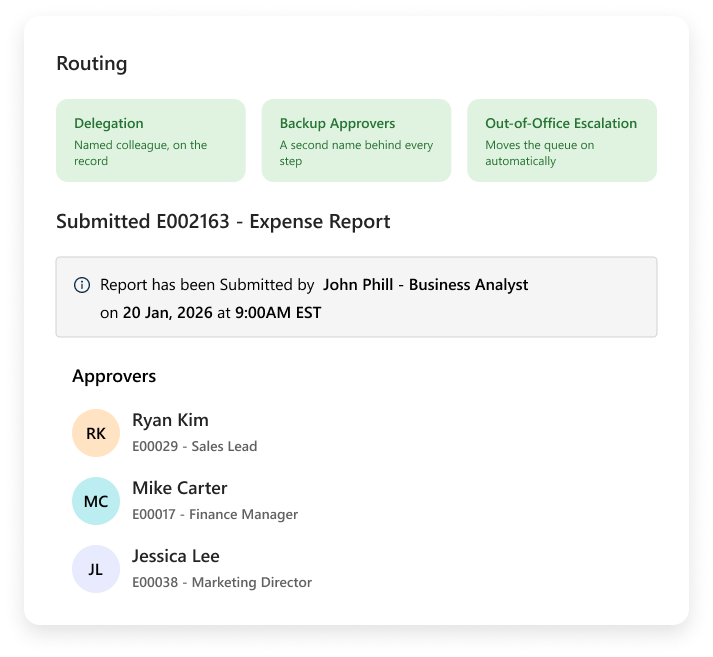
SutiExpense routes each report by your rules: multi-level chains, department-specific paths, serial or parallel review. Delegation and backup approvers are built in, and out-of-office escalation moves a report forward rather than letting it sit. Approvers can act from their phone, so being away from a desk stops being the reason a reimbursement is late.
ACCOUNTING SYNC
YOUR CODING DIMENSIONS
Approved reports sync to your accounting system, and what arrives is close-ready.
| Step | Manual process | With SutiExpense |
|---|---|---|
| 01Receipt collection | Employee emails or hands in receipts, often weeks after the spend | Captured on mobile at the point of purchase |
| 02Coding | Guessed at submission, corrected by finance at close | Saved coding preferences pre-populate against your chart of accounts |
| 03Duplicate detection | Caught only if someone recognizes the receipt | AI flags duplicate submissions before approval |
| 04Policy check | Read line by line after submission | Limits, category rules and receipt requirements applied at submission |
| 05Approvals | Email chains, followed up in person | Routed by rule, with delegation and out-of-office escalation |
| 06Per diem | Rates looked up and keyed in by hand | GSA rates pulled automatically via API, plus corporate, custom and international structures |
| 07Audit trail | Reconstructed from email when someone asks for it | Timestamped approver chain captured on every expense |
| 08Month-end | Exception queue cleared before close | Approved expenses arrive coded and close-ready |
Most platforms ask you to change your approval chain, flatten your coding, or simplify your policy to fit what the software supports. That is backwards.
Software that adapts to your business, not the other way around. Workflows and approvals built around your business: your approval chains, your coding dimensions, your policy logic, configured to how you run. Set up that way from the start, at no extra cost, and changed when your business changes.
Pricing follows the same principle. You pay by active monthly submitters, meaning the people who actually submit an expense in a given month, rather than by headcount. Hosting on AWS is included, so there is no server for your team to manage.
An automated expense management solution that only works once you reshape your process around it is not saving you anything.
Software that handles the expense report end to end, from capturing the receipt through to posting the approved expense to your accounting system, without a person re-entering the data at any point. Automated expense reporting software is distinct from expense tracking, which records what was spent but still leaves the reporting, checking and routing to people.
Receipt capture and data extraction, coding against your chart of accounts, duplicate detection, policy checks at submission, approval routing, per diem calculation, and the sync of approved expenses into your accounting system. Automated expense management tools vary a lot on how many of those they cover. The ones that only automate capture leave the expensive work in place.
Your limits, category rules and receipt requirements are configured into the submission flow. Role-based spending limits are enforced per user role at the point of submission. An out-of-policy item is flagged to both the submitter and the approver before the report is finalized, and a submission missing a required receipt cannot go through.
Approved expenses sync to your accounting system, with coding dimensions mapped to your structure rather than to a generic template. We confirm the specific connection for your system during the demo.
By active monthly submitters. You pay for the people who submit an expense in a given month, not for everyone with a login. Hosting is included.
A minimum of seven years, and typically longer. The full timestamped audit trail, including the approver chain for every expense, is retained with it.
The fastest way to judge an automated expense reporting solution is to watch it run your process rather than a demo dataset. We will set up your approval chain, your coding dimensions and your policy rules, and show you a report moving through them.
Next: SutiExpense pricing
©
SutiSoft, Inc. All Rights Reserved
By clicking “Accept,” you agree that we may use cookies to enhance site functionality, understand usage patterns, and deliver relevant marketing content. Not providing or withdrawing consent may limit certain features or affect site functionality.